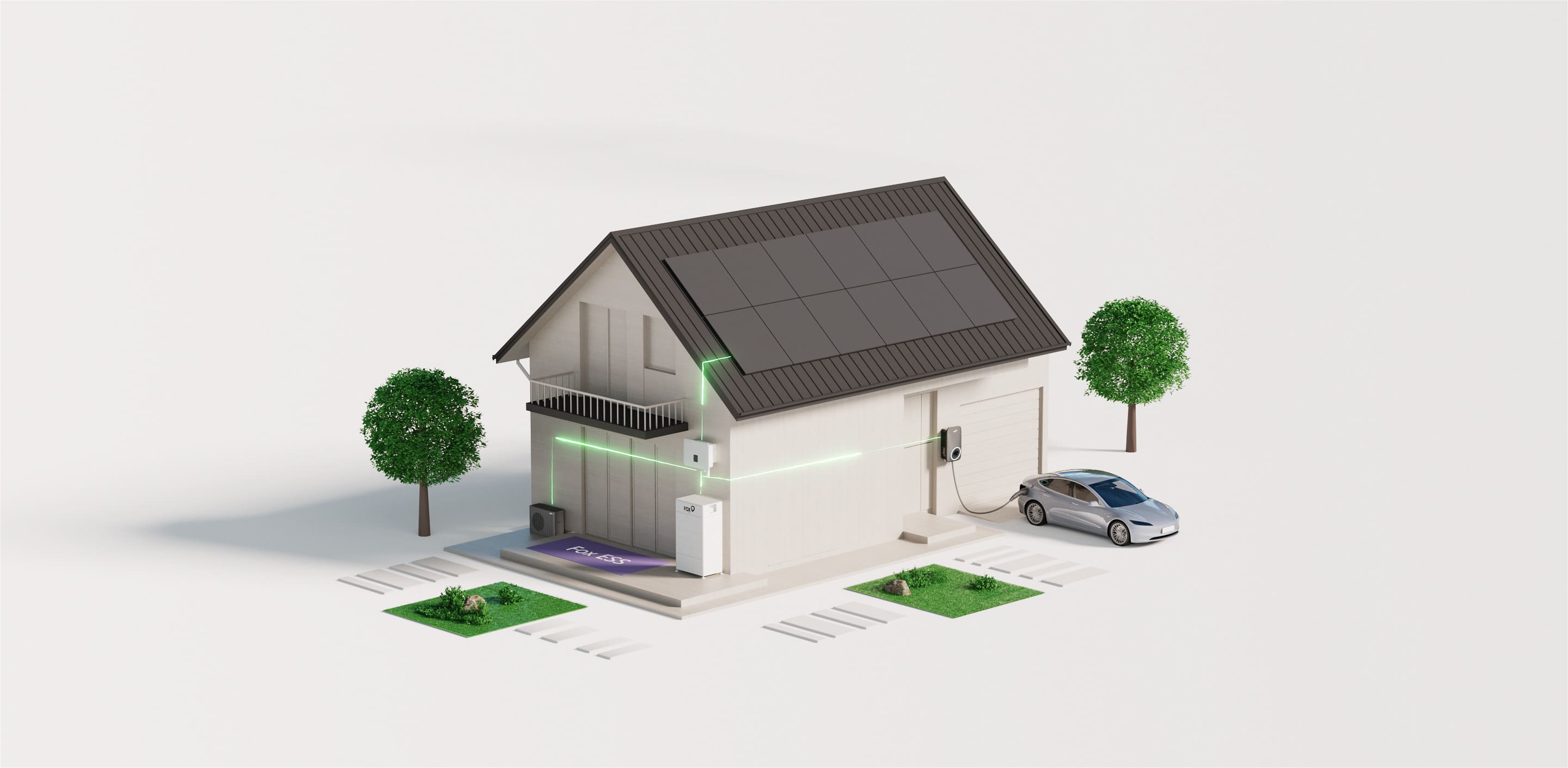

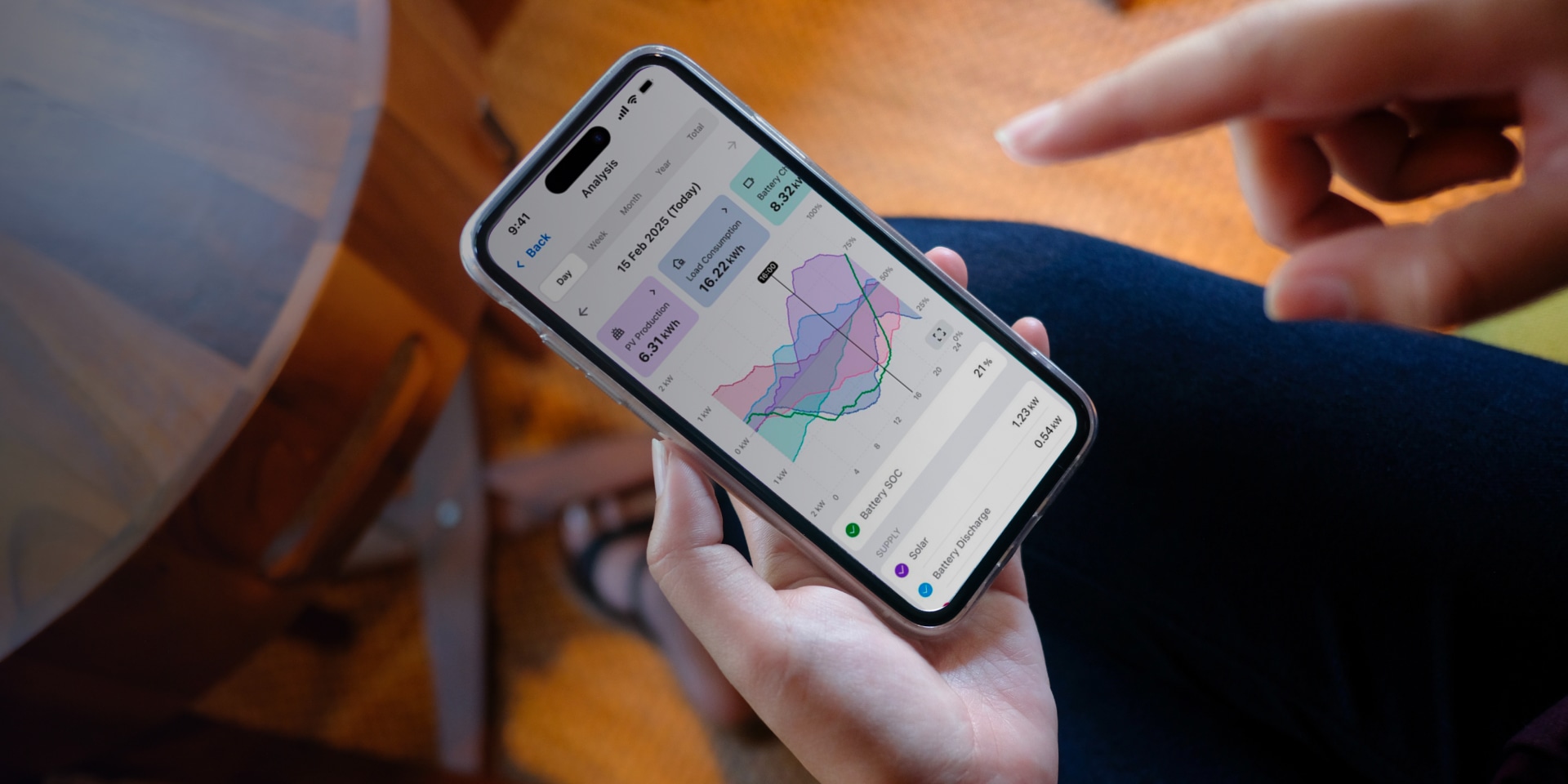








A home energy system can generate solar power, store it in a battery, charge an EV, and exchange electricity with the grid. Yet homeowners may still struggle to answer three practical questions: Where is my energy going? What should my battery do next? Is the system delivering the value I expected?
FoxCloud 2.0 is Fox ESS's home energy monitoring and management platform. This guide explains how the platform addresses these questions through clearer energy visibility, smarter control, better energy decisions, and more connected installer support.
Where Does Your Home Energy Go?
When solar, battery, household load, and grid readings are viewed separately, a homeowner may see individual numbers without understanding the complete energy path. FoxCloud 2.0 closes that visibility gap by showing how electricity moves between the solar array, the home, the battery, the grid, and supported connected devices.
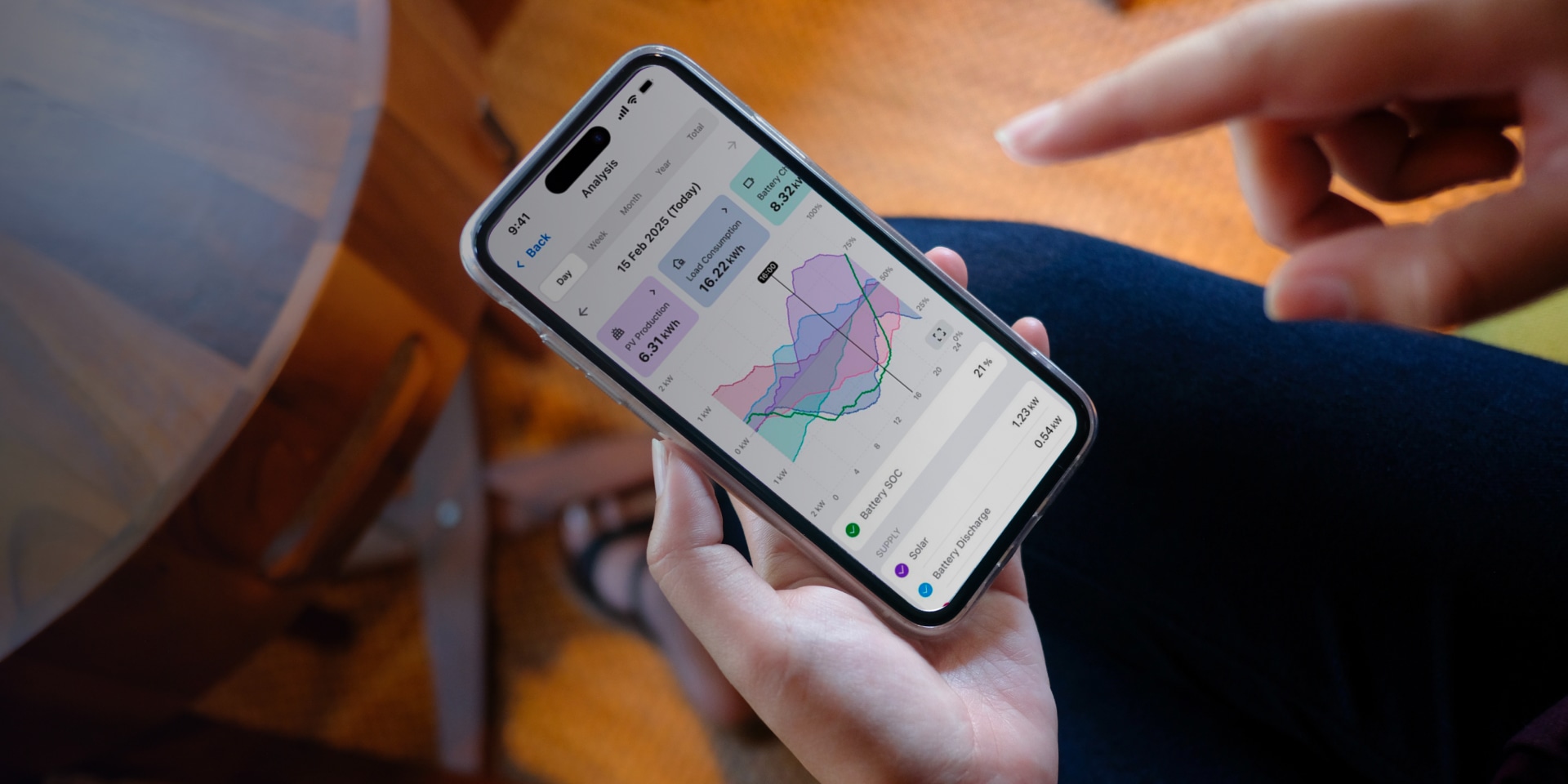
FoxCloud 2.0 refreshes PV production, household load, and battery storage data every five seconds, helping users follow changes as they occur. Its live energy flow and historical views support four practical decisions:
| Signal | Question It Answers | Decision It Supports |
|---|---|---|
| Live PV and household demand | Is current solar output covering the home's electricity demand? | Run flexible loads during a surplus or investigate an unexpected demand peak. |
| Battery SOC and flow | Is the battery charging, discharging, full, or idle? | Check evening availability and whether battery behavior matches the selected mode. |
| Grid imports and exports | Is the home buying electricity or sending surplus solar to the grid? | Identify costly import periods or unused solar that could be stored or consumed locally. |
| Historical trends | Does the same pattern return by day, week, month, or year? | Compare similar periods before and after a schedule, tariff, or work-mode change. |
The live signals explain the current energy path, while historical views reveal whether the same pattern recurs. A regular evening import peak, for example, may indicate that flexible loads run outside solar hours, the battery reaches its reserve level too early, or the operating plan needs review. With that pattern established, the household can select a suitable control method.
How Do You Control Battery Charging and Discharging?
Seeing an energy pattern is only the first step. FoxCloud 2.0 provides several levels of control, depending on how much the user wants to configure and how much should be automated.
| Control Option | Who Creates the Plan | How It Works |
|---|---|---|
| Work Mode | The user selects a strategy. | Offers seven or more work modes across the Fox ESS residential and commercial range. For everyday home use, Self-use prioritizes local solar and stored energy. |
| Mode Scheduler | The user writes the plan. | Divides 24 hours into up to 96 time segments. Users can set Boost Charge or Discharge, Self-use, Feed-in, PV participation, SOC targets, and a grid power limit for each period. |
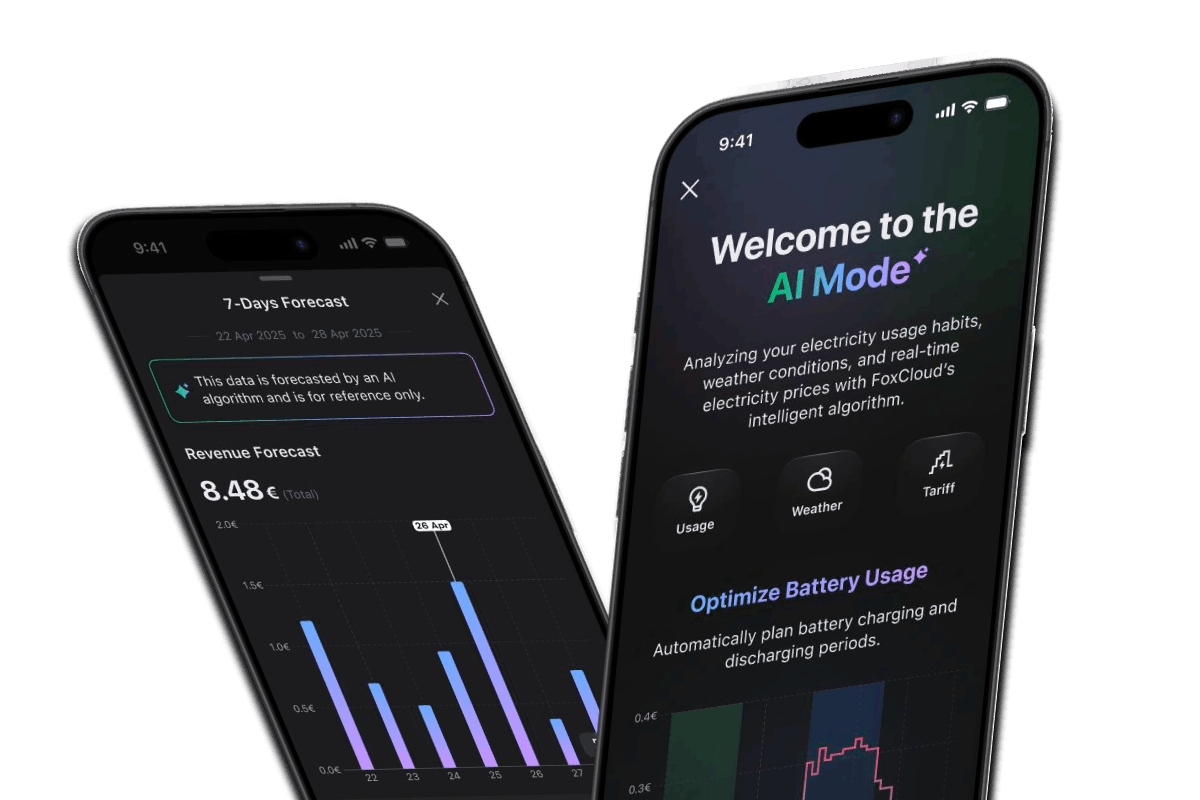
| AI Mode | FoxCloud writes the plan. | Learns from household usage, weather, and electricity prices, then optimizes battery charging and discharging. |
| VPP Control | An eligible external provider coordinates the system. | Allows compatible VPP or third-party energy programs to send operating schedules under their program rules. |
Mode Scheduler and AI Mode serve different planning needs:
Mode Scheduler. This option suits households that already know the desired periods, SOC targets, and power limits. You can enter a fixed off-peak charging window directly, and the system follows the user-defined plan.
AI Mode. This option is designed for changing conditions. It combines household demand, PV forecasts, weather, and supported tariff data to update charging and discharging automatically, reducing manual adjustments as solar output and prices change.
VPP control uses a different planning model. Rather than the household or AI Mode creating the plan, an approved provider can coordinate a compatible system under its program rules.
How FoxCloud 2.0 Helps Improve Energy Value?
A system may deliver less financial value even when solar generation is strong. It can also occur when surplus PV is exported at midday while the home imports electricity later at a less favorable price. A battery therefore creates value through when it charges, when it discharges, and which household goal the operating plan prioritizes.
For one household, the priority may be maximizing solar self-consumption by storing midday PV for the evening. Another may focus on avoiding expensive import periods. Where export rates are attractive, sending part of the solar surplus to the grid may also support the preferred outcome. FoxCloud 2.0 connects three parts of that decision:
1. Describe the Price Signal
Manual or supported smart tariff plans reflect the relevant buying and selling periods.
2. Choose How the Battery Responds
A work mode, Mode Scheduler, or AI Mode determines when the battery stores, uses, or exports energy.
3. Review the Result
Revenue views show total value, daily changes, and revenue sources, while historical energy data shows whether imports, exports, and on-site solar use changed.[1]
Consider a home with regular midday exports followed by high evening imports. If the goal is higher self-consumption, the homeowner or installer can review load timing, battery availability, and the current operating plan. After changing the schedule or mode, compare similar days to see whether more solar was stored and used later and whether grid imports fell during the targeted period.
The preferred result depends on local import prices, export rates, backup priorities, and household routines. Because FoxCloud 2.0 calculates revenue views from configured tariff and system data, accurate settings make trend comparisons more useful. Reviewing these figures alongside the utility statement gives the household a fuller view of energy performance and financial value.
How Does FoxCloud 2.0 Support Installers from Commissioning to O&M?
Home energy management does not end after the system is installed. Reliable monitoring also helps installers verify system operation, identify issues, and provide ongoing support when needed.
FoxCloud 2.0 connects commissioning with long-term system monitoring. Installers can activate plants, check system and meter status, review alarms and operating data, and diagnose issues remotely through the app and FoxCloud Web 2.0. This gives homeowners greater confidence in the data they see, while giving installers the context needed to investigate system changes and support ongoing maintenance.
Why Choose FoxCloud 2.0 for Home Energy Management?
Fox ESS develops smart renewable energy solutions for homes and businesses, with a product portfolio that spans inverters, batteries, EV chargers, heat pumps, and digital energy management. In H1 2026, InfoLink Consulting ranked Fox ESS No. 1 among global residential ESS suppliers.[3] For homeowners comparing solar monitoring and energy-management platforms, three advantages stand out:
Connected Ecosystem
FoxCloud 2.0 works across compatible Fox ESS inverters, batteries, EV chargers, and heat pumps, supporting a connected residential energy storage ecosystem that can expand into EV charging or electric heating.
Unified Management
FoxCloud 2.0 combines solar monitoring with compatible-device controls, tariff settings, and revenue information in one interface.
Regional Support
Fox ESS provides dedicated service contacts in key markets across Europe, Australia, and the Americas for product and technical inquiries.
Ready to make home energy data easier to use? Explore FoxCloud 2.0 or contact us to discuss a connected energy solution for your home.
References
[1] Fox ESS. “FoxCloud 2.0 Energy Management Software.” Available at: https://www.fox-ess.com/products/foxcloud. Accessed September 30, 2026.
[2] Fox ESS. FoxCloud 2.0 App User Manual, Version 2.1. Available at: https://www.fox-ess.com/Public/Uploads/uploadfile/files/20260212/ENFoxCloud2.0AppUserManual.pdf. Accessed September 30, 2026.
[3] InfoLink Consulting. “1H26 Global ESS Shipment Rankings.” Available at: https://www.infolink-group.com/energy-article/energy-storage-topic-1h26-global-bess-integrator-shipments-ranking. Accessed September 30, 2026.
Q&A
-
Q:Does FoxCloud 2.0 support remote monitoring and management?A:
Yes. FoxCloud 2.0 remotely displays solar production, home consumption, battery state of charge, grid flow, device status, and alarms. Supported systems also allow remote work-mode and schedule settings.
-
Q:What smart energy management capabilities does FoxCloud 2.0 provide?A:
FoxCloud 2.0 combines live energy-flow monitoring with work modes, battery scheduling, tariff settings, revenue tracking, AI Mode, and compatible-device management.
-
Q:How can an energy management app support solar self-consumption?A:
It identifies solar surpluses and later grid imports. Users can then shift loads or adjust battery schedules or Self-use mode, and compare trends to see whether more solar is consumed on site.
-
Q:What is the difference between Mode Scheduler and AI Mode?A:
Mode Scheduler is user-directed and follows a timetable set by the user. AI Mode is system-optimized and uses household demand, PV forecasts, and supported tariff data to update the battery plan.
-
Q:Does FoxCloud 2.0 support VPP integration?A:
Yes. FoxCloud 2.0 supports compatible VPP and third-party energy programs, enabling eligible providers to send operating schedules. Availability depends on the market, device, provider, system configuration, and program.